Digital business cards for events and conferences
Meet more people, lose fewer leads. Share your details in one scan and keep your card in Apple Wallet and Google Wallet, ready on your lock screen all conference long.
Where traditional cards fall short.
Cards run out — and pile up
You hand out your last paper card by lunch on day one, then spend the rest of the event collecting a stack you'll never transcribe.
Fast introductions, lost follow-ups
On a busy conference floor you meet dozens of people in minutes. Without a clean way to capture contacts, most of those connections disappear.
Everyone's juggling a phone already
At events, phones are already out for schedules and photos. Fumbling with paper feels slow and dated by comparison.
A card built for the way you work.
Never run out
Your card is digital, so you can share it with everyone you meet — there's nothing to run out of and nothing to reprint.
One scan, clean capture
People scan your QR code and your contact saves instantly to their phone, so introductions actually become follow-ups.
Lock-screen ready
Keep your card in Apple Wallet or Google Wallet and share it from your lock screen between sessions and conversations.
Great for booths and badges
Put your QR code on your badge, booth, or slides so anyone can save your contact without waiting in line.
Events are where digital cards shine brightest
There’s no environment that exposes the limits of paper business cards like a conference. You arrive with a neat stack and you’re out by the first coffee break. Meanwhile you’re accumulating cards from everyone you meet, knowing full well that most will never be entered into your phone or CRM. The math of networking at events is brutal: lots of introductions, very few that survive the trip home.
A digital business card changes that math. Because your card is digital, you can share it with everyone you meet and never run out. And because people save your contact by scanning a QR code, the introduction is captured cleanly on their phone in the moment — no transcribing, no lost cards, no guesswork later.
Built for the pace of a conference floor
At an event your phone is already in your hand for the schedule, the map, and photos. Sharing your card should be just as natural. With AddvCard in Apple Wallet or Google Wallet, your card sits on your lock screen all day — pull it up, let the other person scan, and keep the conversation going. It’s faster than paper and it fits the way everyone already behaves at events.
You can also make your contact available without even being there. Put your QR code on your badge, your booth banner, or the closing slide of your talk, and anyone in the room can save your details instantly. For exhibitors, that turns every passerby into a potential captured lead.
From handshake to follow-up
The point of networking isn’t the stack of cards — it’s the relationships that come after. When your contact is saved directly to someone’s phone, your follow-up email or message lands with context while the conversation is still fresh. For teams working a booth, AddvCard Teams keeps every staff member on-brand and makes it easy to manage everyone’s card from one place.
Whether you’re a speaker, an attendee, or an exhibitor, AddvCard helps you meet more people, capture more of those connections, and walk away from the event with relationships instead of a rubber-banded pile of paper.
Your card, always in your pocket.
Conferences move fast. Between sessions, in hallways, at the booth — you don't have time to dig through a bag for paper. With AddvCard in Apple Wallet or Google Wallet, your card is on your lock screen all day, ready to share the instant a conversation starts. And because it's digital, you'll never run out, no matter how many people you meet.
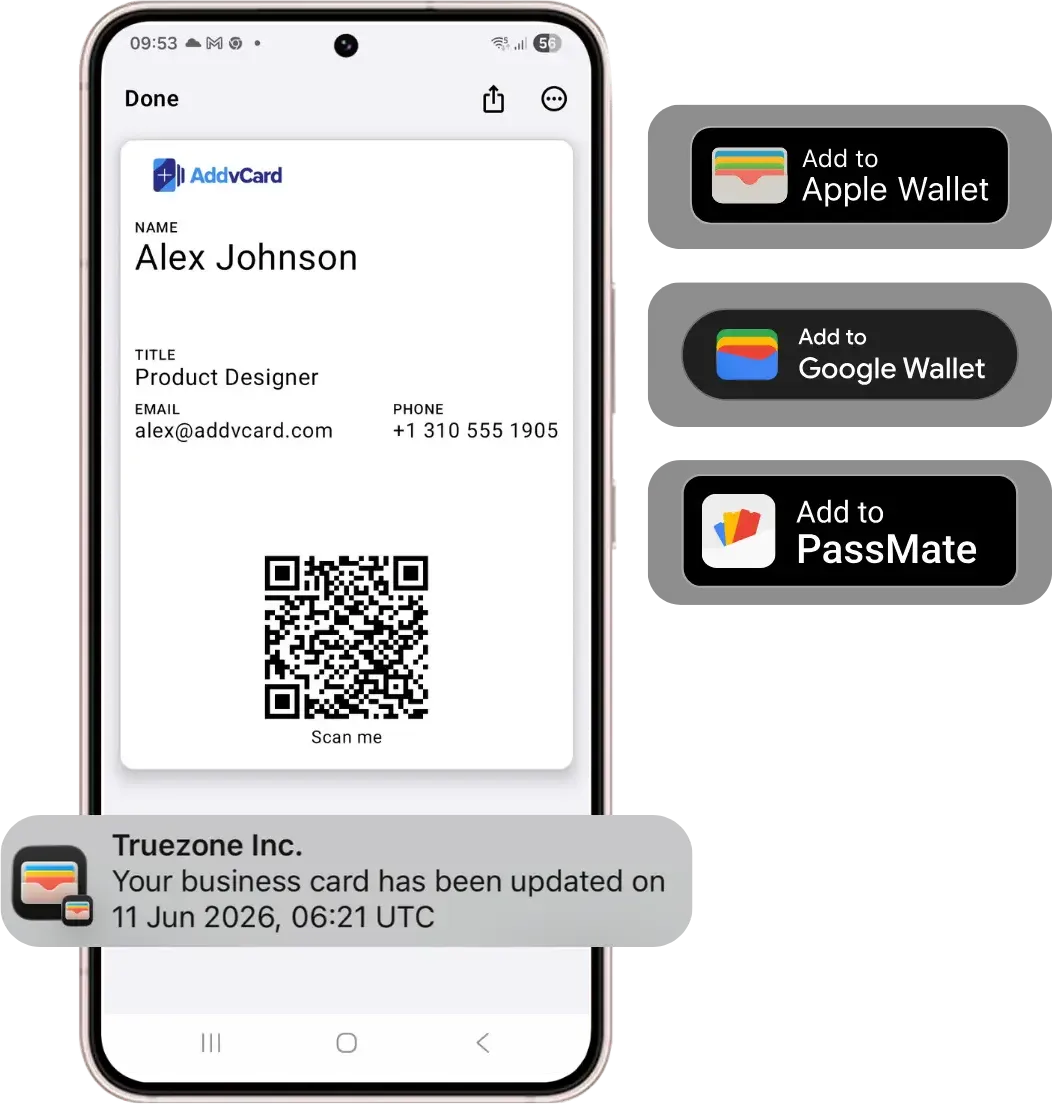
Up and running in minutes.
Add your name, role, company, and the links that matter for the event. Your QR code is generated instantly.
Save it to Apple Wallet or Google Wallet so it's ready on your lock screen throughout the conference.
Share by QR with everyone you meet and follow up afterward while the conversation is still fresh.
Events & Conferences: frequently asked questions.
Create your free digital business card today.
Share your contact details instantly with QR codes, Apple Wallet, and Google Wallet. No credit card required to start.
Get Started